Obsidian
- 4.2
- Rating
- 5.00M
- Installs
- Free
- Price

 Analysis by App-foxy
I spent time using Obsidian as a personal knowledge and productivity tool, and my first impression was that it rewards people who enjoy building their own system. It is not a conventional task manager, polished note-taking diary, or guided study app. Instead, it gives you a plain-text workspace where notes can grow into a connected library of ideas. That freedom is its greatest strength, but it also means the experience depends heavily on how comfortable you are with organizing information yourself.
Obsidian is free, aimed at everyone, and developed by Dynalist Inc. Its Android release arrived on July 7, 2021, and the current version is 1.12.7 for devices running Android 5.1 or later. The app has reached over five million installs and holds a 4.1 average from around seventeen thousand ratings, which suggests a substantial audience but also a noticeable range of opinions. I can understand both sides: once the basic structure clicks, it feels remarkably flexible; before that, the blank workspace can feel demanding.
How the interface supports reading and navigation
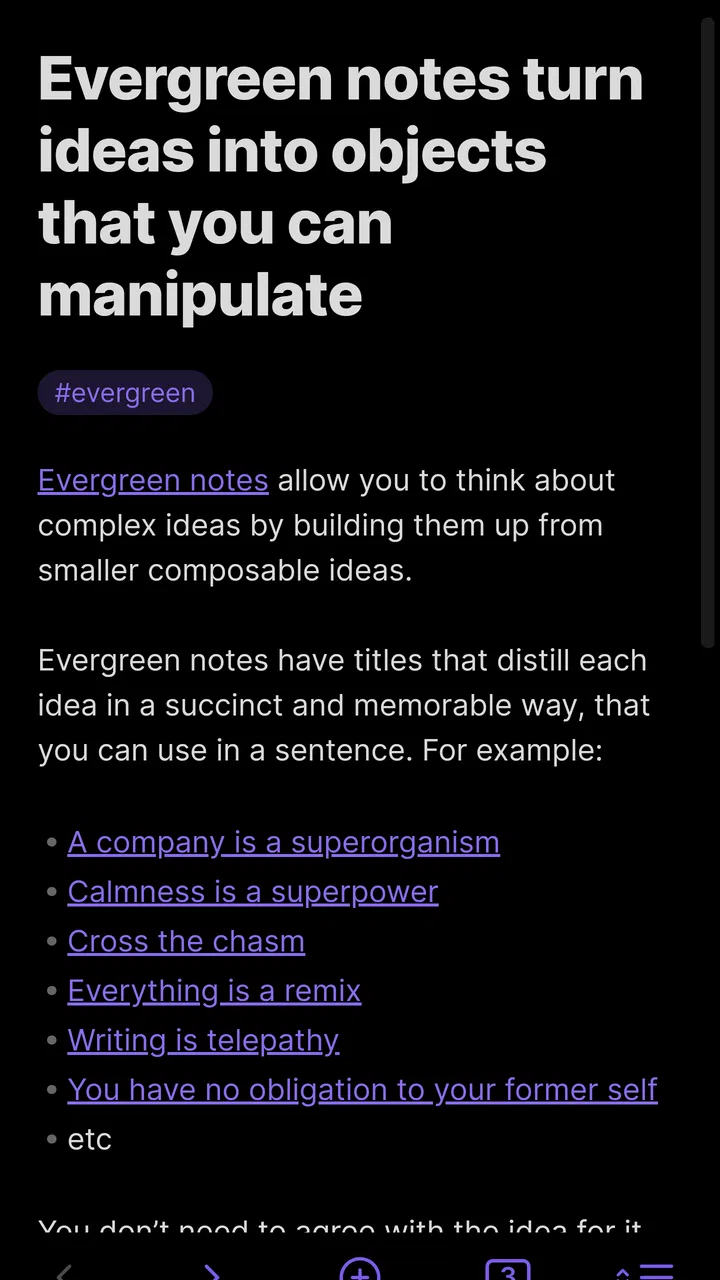
The most important accessibility advantage is Obsidian’s plain-text foundation. Notes are not locked inside a decorative card layout or a rigid form. I can write a short thought, a long reference note, a meeting record, or a detailed study outline without changing tools. For readers who prefer uncluttered text, this can be calmer than an app filled with buttons, colored panels, and competing visual elements.
You May Also Like

 Blood Strike: 2.5 Anniversary
Blood Strike’s Loadouts Turn Every Drop Into a Tactical Gamble
A close look at Blood Strike’s custom loadouts: how fast access to signature weapons reshapes its battle royale rhythm, rewards preparation, and narrows the gap between fights.

 Pandora - Music & Podcasts
Pandora’s Music Is Easy to Start, but Harder to Recover
Pandora’s strength is its low-effort path from a seed to a station. Its weak spot is how much confidence it asks you to place in connection, setup, and quiet recovery.

 8 Ball Pool
 Is Built on Rivalries, Rematches, and Routine
A close look at the rivalries, rematches, shared routines, and unanswered safety questions that turn a quick pool match into a persistent mobile community.

 Samsung Music
’s Quiet Strength Is Playing What You Already Own
Its reach comes less from spectacle than from dependable access to a personal library. That simplicity is both the app’s strongest retention engine and its ceiling.

 AccuWeather: Weather Radar
AccuWeather Review: A Quick, Clear Forecast for Everyday Decisions
For everyday plans, the best forecast is the one you can understand quickly. AccuWeather makes rain timing, radar, and local conditions easy to act on, with a few trade-offs.

 Hill Climb Racing
Why Hill Climb Racing Still Turns Crashes Into One More Run
A tiny car, a bumpy hill and one more upgrade: Hill Climb Racing keeps resurfacing because its simple chaos makes every near-miss feel personal.
More From Our News Desk



That simplicity is not the same as effortless navigation. Obsidian expects me to understand concepts such as notes, links, folders, tags, and the wider vault structure. A new user may open the app and wonder where the “right” place is to begin. There is no single prescribed workflow that quietly guides every decision. I had to create my own conventions, and that is useful for experienced note-takers but potentially tiring for anyone who needs a clear, predictable sequence.
I found the best approach was to keep the first vault deliberately small. I created a few broad areas for personal notes, reading, projects, and reference material rather than making a folder for every subject. This reduced the amount of visual scanning and made search more useful. A deep folder tree can look organized at first, but on a phone it may require repeated movement through narrow levels of navigation.
Links are where the app becomes more than a standard text editor. I can connect one note to another and gradually create a web of related information. This is particularly helpful when a subject does not fit neatly into one folder. For instance, a note about a book can connect to an author, a research topic, a project, and a personal idea without duplicating the same text in several locations.
For readability, I recommend writing with short headings and compact paragraphs rather than treating every note as a large block of prose. That is not a requirement of the app, but it makes a major difference on a small screen. I also found that using one consistent naming pattern made search results easier to recognize. A note title that begins with the subject and ends with a useful qualifier is more practical than a vague title such as “Ideas.”
The graph view can be interesting, but I would not treat it as the main navigation method. It gives a visual impression of how notes connect, yet a crowded graph can become harder to interpret than a simple search. For users who experience visual overload, folders, links, and search are usually the more comfortable combination. The graph is best used occasionally to discover neglected connections, not as a replacement for a clear filing habit.
Reading comfort depends on the writing system
Obsidian works well when I want to revisit information in a clean, text-centered format. Markdown-style structure lets me distinguish headings, lists, quotations, and emphasis without manually designing each page. That consistency helps when I return to notes after several weeks. It also makes the content feel portable rather than trapped in a heavily formatted page.
There is a trade-off for people who dislike markup symbols or find them distracting. Depending on the editing mode and the way a note is written, the underlying formatting syntax can add visual noise. Someone who wants a completely invisible formatting layer may feel more at home in a conventional rich-text editor. Obsidian’s appeal is strongest for users who accept a little structure in exchange for control.
I also noticed that long notes require deliberate design. A single enormous page may seem efficient, but it becomes difficult to scan on a phone and can make important details easy to miss. Splitting a large subject into linked notes is usually better. I use one overview note as a map, then separate notes for definitions, examples, decisions, and follow-up questions. This creates more navigation at first, but it improves orientation later.
Motor, sensory, and situational use
For motor accessibility, the app’s biggest practical benefit is that it supports a typing-first workflow. I can capture a thought without arranging a complex page or dragging many visual elements into place. That matters when precise tapping, repeated gestures, or small controls become tiring. A simple note can be opened, edited, and left for later without requiring a complicated setup.
At the same time, mobile writing still involves the usual challenges of a phone keyboard. Long-form editing can be tiring, especially when I need to move through a note, place links, adjust headings, or correct formatting. Obsidian is excellent for quick capture and structured text, but it is not automatically the easiest environment for extensive composition on a small touchscreen. A user who relies on an external keyboard or prefers voice input should test their preferred method with the app’s editing workflow before moving an entire writing practice into it.
One useful habit is to separate capture from refinement. When I am walking between tasks or have only one hand free, I write a brief note with a clear title and leave detailed linking for later. This avoids forcing precise organization during a rushed moment. Later, when I have more time, I can add links, split the note, and place it in the right part of the vault. That two-stage method makes the app more workable in real life than trying to maintain perfect organization immediately.
For sensory considerations, a text-focused workspace can be less stimulating than a productivity app that constantly presents reminders, colorful status indicators, and animated dashboards. Obsidian does not push me toward a particular visual planning style. I can keep the vault quiet and restrained, which is useful when I need to concentrate on reading or thinking rather than monitoring several interface elements.
However, the flexibility can also create sensory and cognitive friction. A vault with too many tags, inconsistent titles, and heavily interconnected notes may feel chaotic. The app does not prevent me from building an overwhelming system. I think this is one of the most important points for users with attention, memory, or processing differences: the software can support a calm environment, but the calmness has to be designed by the user.
I recommend choosing a small set of repeatable note templates, even if they are only simple text patterns. For a meeting, I might use headings for purpose, decisions, questions, and next steps. For reading, I might use a summary, key terms, useful passages, and personal response. These structures reduce the number of decisions I need to make while writing and make later review more predictable.
A realistic everyday workflow
Imagine that I am commuting, receive an idea for a work project, and only have a moment to record it. I can create a note with a direct title, write the idea in plain language, and stop there. Later that evening, I can connect it to the project note, add a source, and turn the rough thought into a short action list. The value is not just storing the idea; it is being able to improve its context without rewriting the original thought somewhere else.
This workflow is especially useful for people whose attention changes throughout the day. Capture can remain quick, while organization happens during a quieter period. It also avoids a common productivity trap: spending more time decorating a note than thinking about its content. In my experience, Obsidian works best when the notes remain useful even before they are perfectly organized.
For study, I would use a separate note for each concept rather than putting an entire course into one page. I can then link related concepts and keep a short review note that points to the important areas. This makes revision more active because I have to move between connected ideas. The trade-off is that the method requires discipline; the app will not automatically turn notes into a lesson plan or remind me which concept needs review.
For personal planning, I would not use it as my only tool if I need strong deadline management. I can write tasks and organize project information, but a dedicated task application may be better for recurring alerts, calendar coordination, and quick status changes. Obsidian is more valuable as the place where I explain why a task matters, collect supporting information, and preserve decisions after the task is complete.
Where the experience still creates barriers
The first barrier is the learning curve. Many productivity apps try to hide their underlying structure, while Obsidian exposes enough of its structure to let users shape it. That is empowering, but it can be intimidating. A person who wants to open an app and immediately follow a guided routine may find the initial setup too open-ended.
The second barrier is maintenance. Links and folders are helpful only when they reflect a system I can continue using. If I create elaborate categories during an enthusiastic first week, I may later avoid the vault because every new note feels like an organizational problem. A smaller system is more inclusive than an impressive one. I would rather have a few dependable links than a large network that demands constant housekeeping.
Another limitation is that the app is not a universal replacement for specialized tools. A visual project board may communicate progress more quickly than a collection of linked notes. A dedicated reading app may handle highlighting and book-focused review more naturally. A collaborative document editor may be preferable when several people need to edit the same material at once. Obsidian’s advantage is personal structure and connected knowledge, not doing every productivity job equally well.
Users should also think about their tolerance for text-based organization. If you naturally remember information through images, spatial boards, or highly visual timelines, a plain-text vault may feel restrictive even though it is technically flexible. The app can hold rich ideas, but its central experience remains writing, linking, and searching. That makes it a poor match for someone who wants the interface itself to provide most of the visual explanation.
There is also a difference between accessibility in principle and accessibility in daily practice. A clean text area may be easier for one person to read, while another may need stronger visual cues, more guided navigation, or less dependence on typing. I would not assume that the app suits every ability simply because it looks minimal. The right test is whether its note structure reduces effort for the particular way you read, write, remember, and move through information.
My practical advice is to run a small trial before importing years of notes. Create a handful of real examples: a shopping plan, a meeting record, a personal reference note, and a longer study topic. Try finding each one later, editing it on a phone, and linking it to something else. If those actions feel natural, the system is likely to grow comfortably. If every step feels like administration, a simpler notes app may serve you better.
Who will benefit most from this approach?
I would recommend Obsidian to independent learners, writers, researchers, developers, students, and anyone who wants personal information to remain connected instead of divided into isolated documents. It is also a strong choice for people who enjoy refining systems over time. The app gives me room to begin with a basic note and gradually develop a more thoughtful knowledge base without forcing me to decide everything on the first day.
It is less suitable for someone who wants an immediately finished productivity method. If your priority is a calendar, reminders, shared editing, visual task movement, or a highly guided onboarding experience, another category of app may be more appropriate. I would also hesitate to recommend it as the sole tool for users who find text-heavy interfaces tiring or who prefer information to be arranged visually from the start.
The free price makes experimentation straightforward, and the Everyone age rating makes it broadly approachable. Those facts do not remove the need to consider personal workflow, but they lower the risk of trying it. I would begin with one focused vault and a deliberately modest structure rather than attempting to recreate an entire digital life immediately.
Compared with ordinary note apps, Obsidian gives me more control over relationships between ideas and encourages me to think in networks rather than isolated pages. Compared with task managers, it is better at preserving reasoning and background than at driving deadlines. Compared with collaborative workspaces, it feels more personal and reflective. Its place is clearest when the question is not merely “What do I need to do?” but “What do I know, how is it connected, and why might it matter later?”
An inclusive verdict after extended use
My overall view is positive, with an important qualification: Obsidian is inclusive when its flexibility matches the user’s needs, not because it removes every possible barrier. Its plain-text focus can support readability, focused work, and low-distraction capture. Its linking system can help people organize ideas according to meaning rather than forcing everything into one folder. Its mobile format makes personal knowledge available away from a desk, which is valuable when thoughts arrive in changing environments.
The cost of that freedom is responsibility. I have to create sensible naming rules, avoid overbuilding the vault, and choose when to organize rather than expecting the app to make those decisions for me. That can be liberating for one person and exhausting for another. The most accessible setup is usually the simplest one: short notes, clear titles, limited categories, and links added only when they genuinely help.
After using it, I see Obsidian as a thoughtful productivity companion rather than a universal organizer. I would recommend it to a friend who wants a durable-feeling personal library of connected notes and is willing to shape the experience around their own reading and writing habits. I would steer a friend toward a more specialized alternative if they mainly need reminders, collaboration, visual planning, or a guided routine.
The best reason to choose Obsidian is not that it does everything; it is that it lets your notes become a system that reflects how you think. Start small, keep the navigation predictable, and treat accessibility as an ongoing design choice inside the vault. Used that way, this free productivity app can be remarkably comfortable for everyday capture, deeper learning, and long-term personal reference.
FAQs for Obsidian
01What is Obsidian, and what are its main features?
Obsidian is a powerful note-taking and knowledge management app designed for users who need a robust tool for organizing information. Its main features include markdown support, bi-directional linking for creating a web of interconnected notes, and a graph view to visualize connections. It also offers plugins and themes for customization, making it adaptable to various workflows.
02Is Obsidian available on both Android and iOS platforms?
Yes, Obsidian is available on both Android and iOS, providing seamless access to your notes across different devices. The mobile app supports all core features found in the desktop version, ensuring that you can manage your notes on the go without compromising functionality or user experience.
03How does Obsidian handle data synchronization across devices?
Obsidian offers multiple ways to sync data, including third-party cloud services like Dropbox or Google Drive. For those seeking a more integrated solution, Obsidian Sync is available as an optional paid service, providing end-to-end encryption and seamless synchronization across all devices, ensuring your notes are always up to date.
04Is Obsidian suitable for collaborative work?
While Obsidian excels in personal knowledge management, it is not primarily designed for real-time collaboration. However, users can share notes by exporting them or using third-party tools. For those needing collaboration, integrating Obsidian with platforms like GitHub can enable version control and collaborative editing.
05Does Obsidian have a steep learning curve for new users?
Obsidian is relatively user-friendly, especially for those familiar with markdown formatting. New users might take some time to explore its more advanced features like bi-directional linking and graph views. However, there are plenty of tutorials and a supportive community available to help users get the most out of the app.
Pros
- Highly customizable interface.
- Supports markdown for easy formatting.
- Robust plugin ecosystem.
- Cross-platform synchronization.
- Offline access to notes.
Cons
- Initial setup can be confusing.
- No built-in cloud storage.
- Limited mobile editing features.
- Learning curve for new users.
- Free version lacks some features.

Obsidian
Gallery